
Fibo 2.0 GGUF
Fibo 2.0 is an 8B flow-matching image model with FLUX.2 VAE latents, a Qwen3-VL 4B encoder, a two-layer Perceiver, and a 44-block single-stream DiT. The Dev variant supports text-to-image generation and image editing. Edit Turbo is distilled for image editing.
fibo-2.0-GGUF on Hugging FaceExamples
The Dev workflow uses a structured prompt to make a product photo of a blue ceramic mug and a red apple.

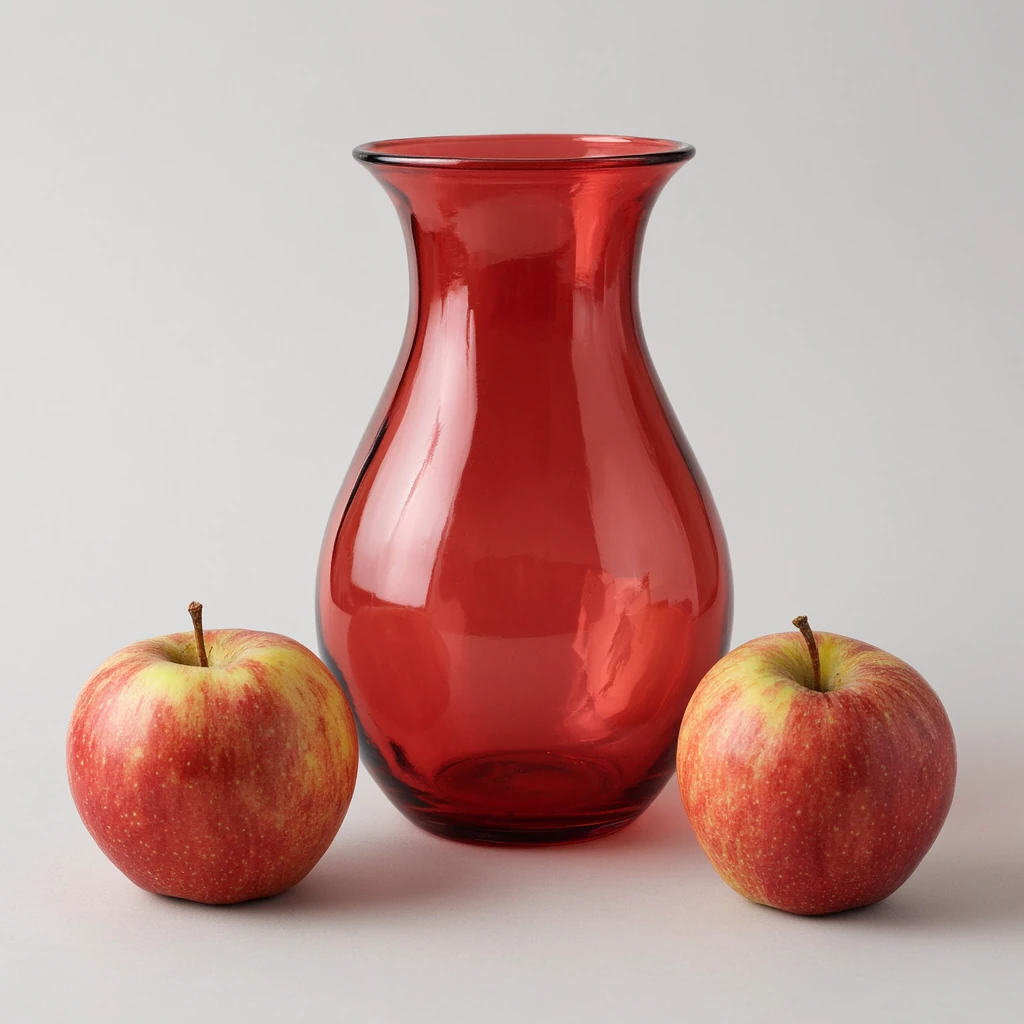
The Edit Turbo workflow uses the prompt “Replace the blue ceramic mug with a red glass vase, preserving the apple, composition, lighting, and background.”
Available Quantizations
Dev
| Quant | Size | File |
|---|---|---|
| Q8_0 | 8.29 GiB | fibo2-dev-Q8_0.gguf |
| Q6_K | 6.48 GiB | fibo2-dev-Q6_K.gguf |
| Q4_K_M | 5.16 GiB | fibo2-dev-Q4_K_M.gguf |
| Q8_CR | 7.83 GiB | fibo2-dev_Q8_CR.gguf |
Edit Turbo
| Quant | Size | File |
|---|---|---|
| Q8_0 | 8.29 GiB | fibo2-edit-turbo-Q8_0.gguf |
| Q6_K | 6.48 GiB | fibo2-edit-turbo-Q6_K.gguf |
| Q4_K_M | 5.16 GiB | fibo2-edit-turbo-Q4_K_M.gguf |
| Q8_CR | 7.83 GiB | fibo2-edit-turbo_Q8_CR.gguf |
Q8_CR uses the custom ConvRot layout and requires comfyui-gguf-reboot.
Model Input and Output
Variants and inputs
| Variant | Inputs |
|---|---|
| Dev | Text prompt for image generation, or an image and editing prompt. The example workflow uses 50 steps and CFG 5. |
| Edit Turbo | Source image and editing prompt. This variant is for image editing, with 4 steps and CFG 1. |
Outputs
Both variants produce images. Dev supports text-to-image generation and image editing. Edit Turbo is intended for image editing only.
ComfyUI Setup
Use ComfyUI core at commit 87ed5a066d9c4660ef42100fd01a888da6994856 or newer, with the comfyui-gguf-reboot loader nodes. Use UnetLoaderGGUFDynamicVRAM for the diffusion model. The loader nodes give the best performance.
Dependencies
Place the chosen GGUF file in models/diffusion_models/. Place these companion files in the folders shown.
| Component | File | Folder |
|---|---|---|
| Text encoder | qwen3vl_4b_int8_convrot.safetensors | models/text_encoders/ |
| FLUX.2 VAE | fibo2-flux2-vae.safetensors | models/vae/ |
The Edit Turbo workflow loads fibo2-test-input.png from ComfyUI/input/. Use the included sample or select another image in the workflow.
Workflow downloads
Import these JSON files into ComfyUI.
Fibo 2.0 Dev text-to-image workflowFibo 2.0 Edit Turbo image-to-image workflowLicense
The Dev and Edit Turbo model cards use CC BY-NC 4.0. Commercial use requires a separate agreement with Bria. Read the Dev model card and Edit Turbo model card for the full terms.